Guides
How to Send Wedding Invitations by Email: Examples, Tips & Etiquette
Learn how to send wedding invitations by email with examples, subject lines, RSVP tips, and etiquette advice for inviting guests.
How to Send Wedding Invitations by Email: Examples, Tips & Etiquette
Wedding planning involves dozens of small decisions, and sending invitations is one of the first tasks that makes the celebration feel real. Traditionally, couples have mailed printed cards to family and friends. Today, email offers another practical way to share wedding details, especially when guests live in different cities or countries.
Still, sending wedding invitations by email is not quite the same as sending an ordinary message. The wording, subject line, timing, and presentation all matter. Guests should understand immediately who is getting married, when the event takes place, and how to respond.
Whether you are planning a small gathering or a large celebration, this guide explains how to send email wedding invitations, what to include, and how to make the message feel personal rather than like a mass announcement.
Why Send Wedding Invitations by Email?
Email can make invitation delivery easier, particularly when your guest list includes people who are spread across different locations.
There are several reasons couples consider this approach:
- Convenient delivery: Invitations can reach guests without printing, addressing, or mailing individual envelopes.
- International guests: Friends and relatives living abroad can receive the same information without international postage delays.
- Easy updates: If the ceremony time or venue changes, you can send an update without preparing an entirely new batch of cards.
- Quick responses: Guests can reply directly or follow an RSVP link.
- Less paper: Email invitations can reduce the amount of printed stationery required.
However, email is not automatically the right choice for every guest. Some older relatives may prefer a printed card, while others might overlook an invitation among their regular messages. Consider your guests' communication habits before deciding how to send everything.
A combination of printed invitations for close family and email invitations for other guests can also work well.
What Should a Wedding Invitation Email Include?
Before writing your message, gather the essential information. A wedding invitation should answer the questions guests are most likely to have.
1. The Couple's Names
Make it clear who is getting married. You can use full names for a formal invitation or first names for a more relaxed celebration.
2. Wedding Date and Time
Include the complete date, day of the week, and ceremony start time. If guests are travelling from another country, consider writing the month in words to avoid date-format confusion.
For example, "Saturday, June 12, 2027" is clearer internationally than a numeric date.
3. Venue and Location
Include the venue name, full address, and a map link if necessary. If the ceremony and reception take place at different locations, explain this clearly.
4. RSVP Instructions
Tell guests how and when to respond. You can ask them to reply to the email or use a dedicated RSVP page.
Always provide a clear deadline so you have enough time to confirm the final guest count.
5. Additional Information
Depending on the event, guests may need details about dress code, accommodation, parking, transportation, or children attending.
You do not need to include every detail in the main email. A link to a wedding information page can keep the message shorter and easier to read.
Wedding Invitation Email Subject Line Ideas
The subject line is the first thing guests see in their inbox. It should be clear enough to identify the message without sounding overly promotional.
Here are some examples:
- You're Invited to Our Wedding!
- Save the Date: [Names] Are Getting Married
- Join Us to Celebrate Our Wedding on [Date]
- [Names] Would Love You to Be There
- A Special Invitation to Our Wedding
- Please Join Us for Our Wedding Celebration
- Our Wedding Day Is Coming – You're Invited!
For a formal celebration, choose a straightforward subject line. For a close group of friends, something more personal can feel natural.
Avoid vague subjects such as "Important News" or "A Special Announcement." Guests should be able to recognise the purpose of the email at a glance.
Wedding Invitation Email Templates and Examples
The best wedding invitation email is one that sounds like the people sending it. You do not need elaborate wording. Start with a suitable example and adjust it to match your relationship with the guests.
1. Formal Wedding Invitation Email
A formal message works well when inviting colleagues, family friends, or guests who expect traditional wording.
Subject: Formal Invitation to Our Wedding
Dear [Guest Name],
We are delighted to invite you to celebrate our wedding.
Together with our families, we would be honoured to have you join us as we begin this new chapter of our lives.
Date: [Wedding Date]
Time: [Ceremony Time]
Venue: [Venue Name]
Address: [Full Address]
Please let us know whether you will be able to attend by [RSVP Deadline].
We look forward to celebrating this special occasion with you.
Warm regards,
[Couple's Names]
2. Casual Wedding Invitation Email
If you are inviting close friends and relatives, a relaxed tone may feel more appropriate.
Subject: We're Getting Married – Come Celebrate With Us!
Hi [Guest Name],
We have some exciting news! We're getting married, and we'd love for you to be there.
Join us for a day filled with good food, music, laughter, and the people we love.
When: [Date and Time]
Where: [Venue and Address]
Let us know if you can make it by [RSVP Deadline].
We really hope to see you there!
Love,
[Names]
3. Small Wedding or Intimate Ceremony Email
A smaller wedding often calls for a more personal message. You can make the invitation feel thoughtful without using overly formal language.
Subject: We'd Love You to Join Our Special Day
Hi [Guest Name],
We're keeping our wedding celebration small and meaningful, and it would mean a lot to have you with us.
We'll be celebrating on [Date] at [Venue], starting at [Time].
Please let us know by [RSVP Deadline] if you can join us.
We hope you can be part of this special day.
With love,
[Names]
4. Destination Wedding Invitation Email
Destination weddings require a little more explanation because guests may need to arrange travel and accommodation.
Subject: You're Invited to Our Destination Wedding!
Dear [Guest Name],
We are excited to invite you to celebrate our wedding in [Destination]!
Our special day will take place on [Date] at [Venue Name].
Wedding details:
- Date: [Date]
- Ceremony: [Time]
- Venue: [Venue and Address]
- Accommodation: [Information or Link]
- RSVP deadline: [Date]
We understand that travelling may require additional planning, so we wanted to share the details early.
Please let us know if you think you can join us. We would be delighted to celebrate together.
Best wishes,
[Names]
5. Wedding Invitation Email With an RSVP Link
If you want to make responding easier, include a clear RSVP link in the invitation.
Subject: You're Invited! Please RSVP for Our Wedding
Hi [Guest Name],
We are getting married, and we'd love you to celebrate with us!
Here are the details:
Date: [Wedding Date]
Time: [Start Time]
Location: [Venue Name]
Please confirm your attendance by [RSVP Deadline] using the link below:
[Your RSVP Link]
You can also find additional event information through the invitation.
We hope to see you there!
Love,
[Names]
Replace the example link with your actual invitation or RSVP page before sending.
How to Make Your Email Wedding Invitation Look Good
The wording is important, but presentation also affects how guests experience your invitation.
A plain email containing several paragraphs of text can work, but a well-designed invitation is easier to scan and feels more like a special announcement.
Here are a few practical suggestions.
Use a Clear Visual Hierarchy
Place the couple's names and wedding date near the top. Guests should not have to search through several paragraphs to find the most important information.
Use headings, spacing, and a small number of font styles to separate the details.
Choose Colours That Match Your Wedding
If your wedding has a particular theme, use similar colours in the invitation. Soft neutrals, muted greens, and warm tones are popular choices, but the right palette depends on your venue and personal taste.
Keep text contrast high enough to remain readable on mobile screens.
Include One Meaningful Photograph
A favourite engagement photo can make an email invitation feel more personal. Choose an image that is clear and appropriately sized.
Avoid adding too many images or large decorative elements. They can make the email slow to load and distract from the actual invitation.
Make the Invitation Mobile-Friendly
Many guests will open their email on a phone. Check that the text is readable without zooming and that any RSVP link is easy to tap.
Always test the email on both a desktop and a mobile device before sending it to the full guest list.
When Should You Send Wedding Invitations by Email?
Timing depends on the type of wedding and how much preparation your guests need.
For a local wedding, sending invitations around six to eight weeks before the event is a reasonable starting point. For destination weddings or celebrations involving significant travel, guests generally need more notice.
A practical timeline might look like this:
| Invitation stage | Suggested timing |
|---|---|
| Save-the-date message | 6–12 months before |
| Main wedding invitation | 6–8 weeks before |
| Destination wedding invitation | 3–6 months before |
| RSVP deadline | 3–4 weeks before |
| Final reminder | Shortly before the RSVP deadline |
These are planning guidelines, not strict rules. Adjust them based on your venue, guest list, and travel arrangements.
If you have already sent a save-the-date email, the formal invitation should include the complete event information rather than assuming everyone remembers the earlier message.
Wedding Invitation Email Etiquette: Common Mistakes to Avoid
Even a beautifully written invitation can cause confusion if a few practical details are overlooked.
Sending one generic email to everyone: A mass email can feel impersonal. Use individual greetings where possible and avoid exposing the email addresses of your entire guest list. If sending a group email, use an appropriate mailing service or BCC.
Forgetting the RSVP deadline: Without a deadline, some guests may delay responding. Give people a clear date and enough time to make arrangements.
Using an unclear subject line: A subject such as "Hello" or "Some News" does not tell guests what the message is about.
Leaving out the venue address: A venue name alone may not be enough, especially if guests are unfamiliar with the area. Include a full address or map link.
Sending invitations too late: Guests may need to arrange travel, accommodation, childcare, or time off work. Give them reasonable notice.
Not checking the links: If your invitation includes a map, RSVP form, or event information page, test every link before sending.
Ignoring spam folders: Some invitation emails may be filtered automatically. If a guest says they have not received the invitation, ask them to check their spam or promotions folder.
Forgetting to follow up: A polite reminder is appropriate for guests who have not responded by the RSVP deadline. Keep it friendly rather than making them feel pressured.
Email Wedding Invitations vs. Digital Invitation Links
Email and digital invitations are related, but they are not exactly the same thing.
An email invitation is the message used to contact your guests. A digital invitation is the actual invitation experience, which may be shared through email, messaging apps, or a personal link.
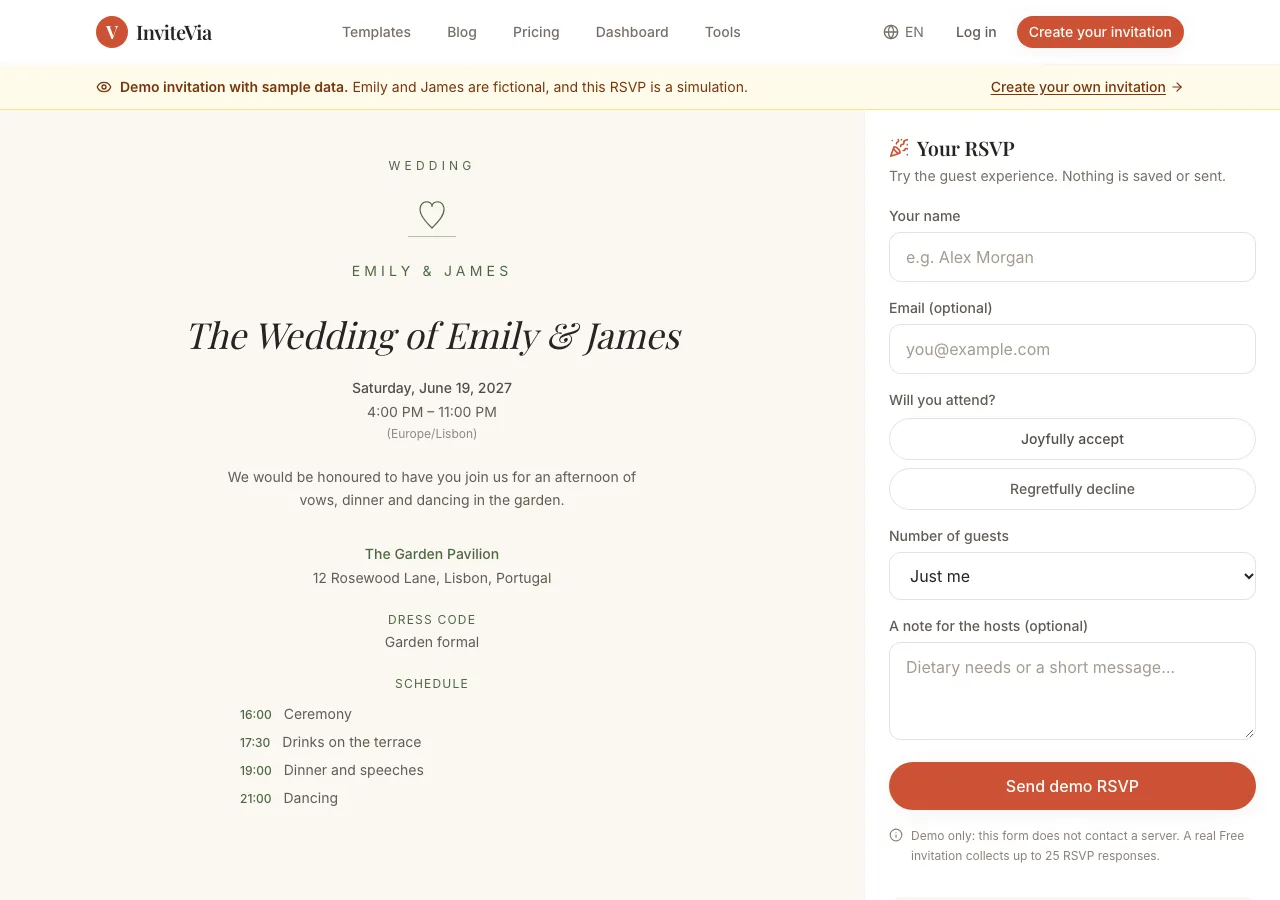
For example, you could write a short email and include a link to a personalised wedding invitation. Guests open the link to view the event details and submit their RSVP.
This approach can be useful when you want the invitation to have a more organised appearance without placing all the information inside the email itself.
It also makes it easier to update event information in one place if something changes.
If you are considering this option, InviteVia offers a way to create personalised digital event invitations and collect RSVPs through a shareable link. You can prepare the invitation once and distribute the same link to guests through email or other communication channels.
The choice depends on your preferences. A simple email may be enough for a small gathering, while a dedicated invitation page can be more convenient when you have several event details to share.
Frequently Asked Questions
Is it acceptable to send wedding invitations by email?
Yes. Email invitations are a practical option for many modern weddings, particularly when guests live far away. However, consider your guests' preferences and whether some family members would appreciate a printed invitation.
What should I write in a wedding invitation email?
Include the couple's names, wedding date, ceremony time, venue, address, RSVP deadline, and a way to respond. A short personal introduction can make the message feel more welcoming.
What is a good subject line for a wedding invitation email?
A clear subject such as "You're Invited to Our Wedding!" or "Join Us to Celebrate Our Wedding on [Date]" works well. Include the couple's names if that makes the message easier to recognise.
How far in advance should wedding invitations be emailed?
For a local wedding, six to eight weeks is a common guideline. Destination weddings usually require more notice because guests need time to organise travel and accommodation.
Should I send wedding invitations by email or WhatsApp?
Both are useful, but they serve slightly different purposes. Email can feel more formal and provides a convenient record of the invitation. WhatsApp is often more immediate and familiar for personal communication. Choose the channel your guests are most likely to check.
Can I include an RSVP link in an email wedding invitation?
Absolutely. An RSVP link makes it easier for guests to confirm their attendance. Make sure the link works on mobile devices and clearly explains what information guests need to provide.
Final Thoughts
Sending wedding invitations by email does not mean giving up the personal feeling of a traditional invitation. With thoughtful wording, a clear subject line, and all the essential event details, an email can be a warm and convenient way to invite the people who matter to you.
Take a little time to personalise the message, check the links, and make the RSVP process straightforward. Most importantly, choose a format that suits your guests and the kind of celebration you are planning.
A good invitation does not need complicated wording. It simply needs to make people feel welcome and excited to be part of your day.
Ready to send your invitation?
Create a digital invitation in a few minutes, then share one link and watch the RSVPs arrive.